
手机的桌面可以根据自己的爱好进行布局和设置,那华为mate30epro桌面时间怎么设置的呢,让我们一起来看看吧~
品牌型号:华为mate30epro
系统版本:EMUI 11
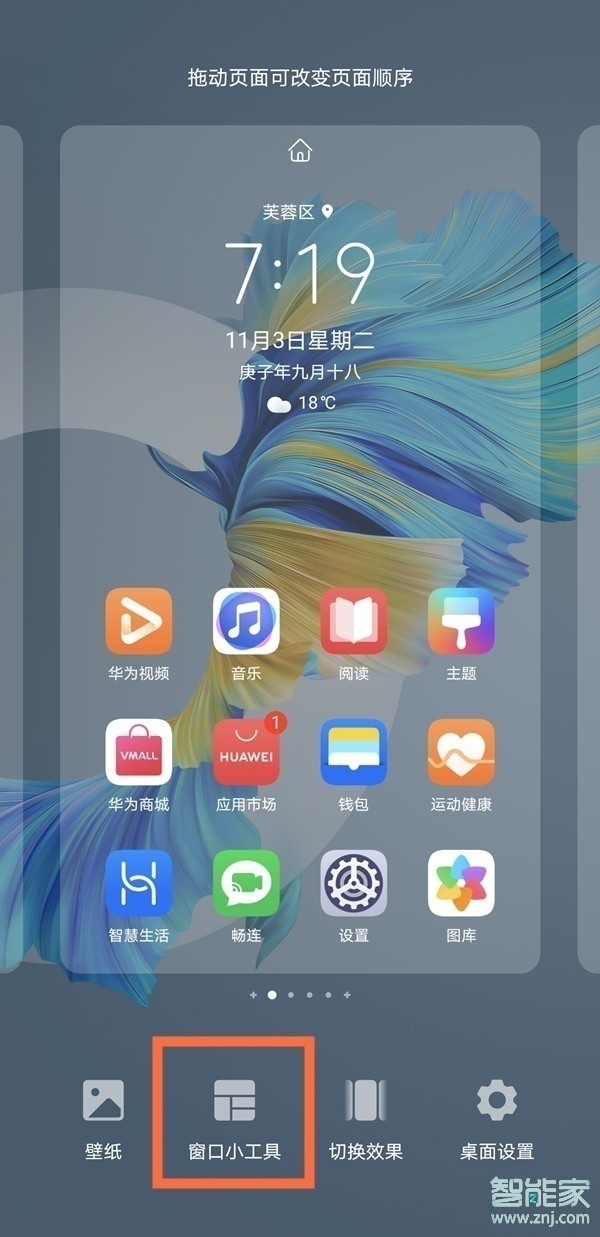
华为mate30epro桌面时间怎么设置1、在手机桌面两指捏合进入主屏幕编辑状态,点击【窗口小工具】。
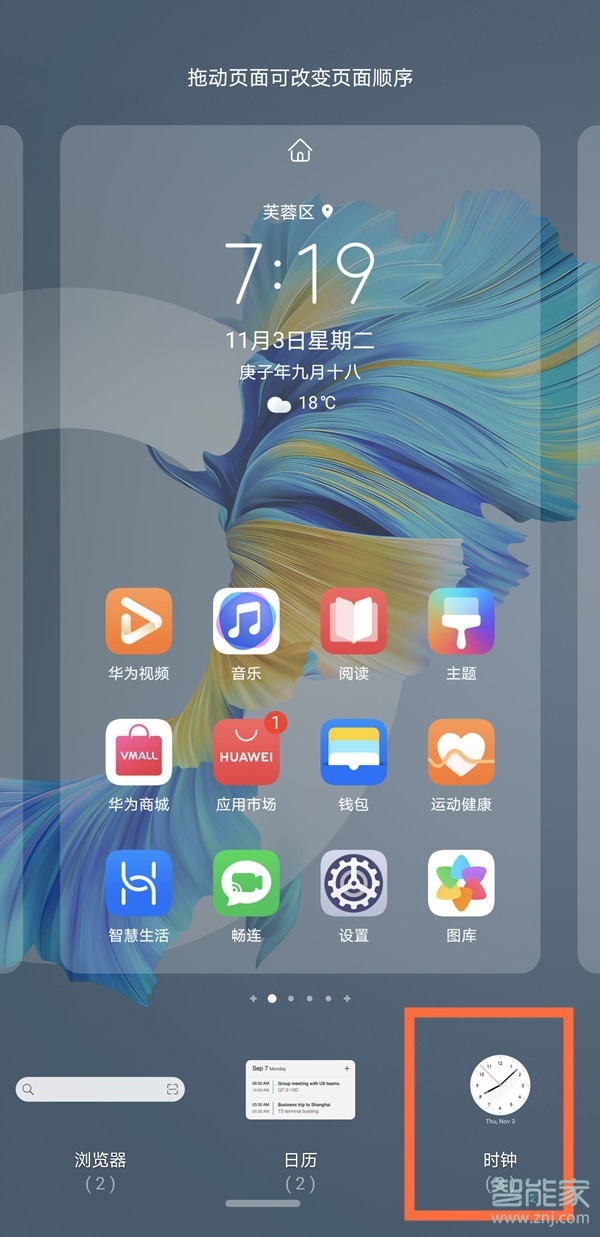
2、点击【时钟】。
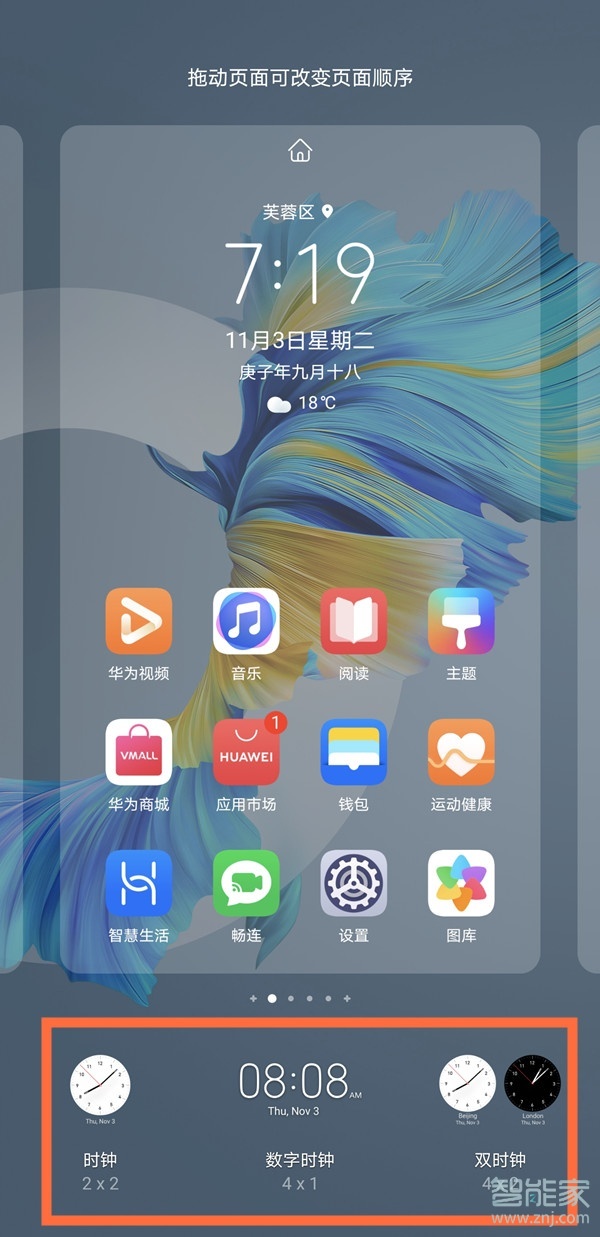
3、选择一种时钟样式,点击即可添加至桌面。
以上就是百科问题网百科问题网小编给大家带来的关于“华为mate30epro桌面时间怎么设置”的全部内容了,了解更多智能资讯尽在百科问题网百科问题网(m.questions.com.cn)!