
有些手机在我们电量不足的时候会自动为我们开启省电模式,可是开启了省电模式,我们某些功能会遭到禁止,十分不便,那么opporeno4se怎么关闭省电模式呢?

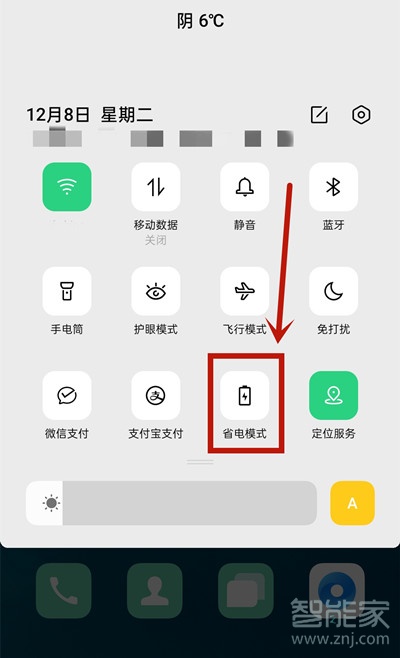
1、可下滑屏幕在状态栏中找到【省电模式】并关闭,
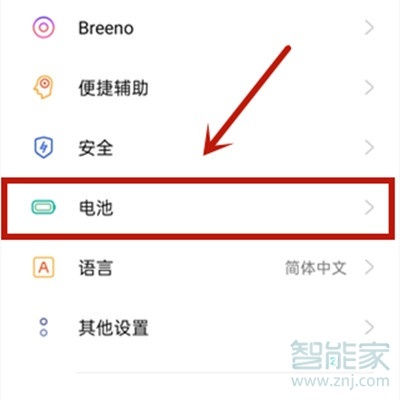
2、也可打开手机设置,点击【电量】,
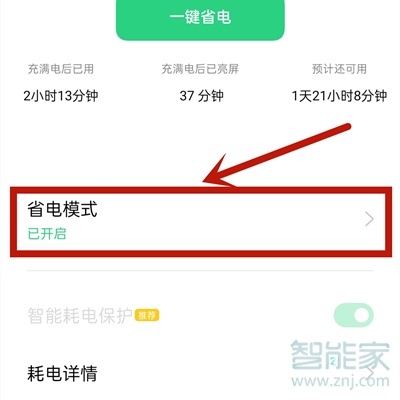
3、点击【省电模式】,
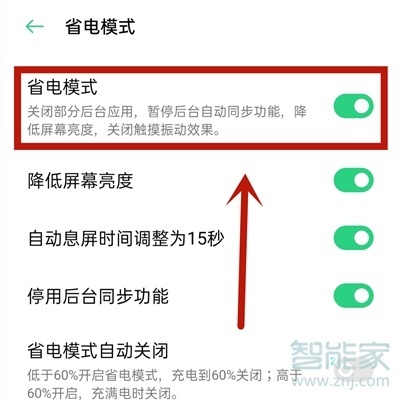
4、将后方按钮关闭即可。
注:本文适用于opporeno4se手机ColorOS7.1系统和Breeno指令v1.5.3版本
以上就是百科问题网百科问题网小编为大家带来的【opporeno4se怎么关闭省电模式】的全部内容,了解更多智能资讯尽在百科问题网百科问题网(m.questions.com.cn)!