
息屏时钟就是在息屏状态下可以显示时间、日期等一些信息,但有些小伙伴比较喜欢纯净的息屏界面,只需要显示时间即可。那opporeno3pro怎么设置息屏状态下仅显示时间?
 opporeno3pro怎么设置息屏仅显示时间?
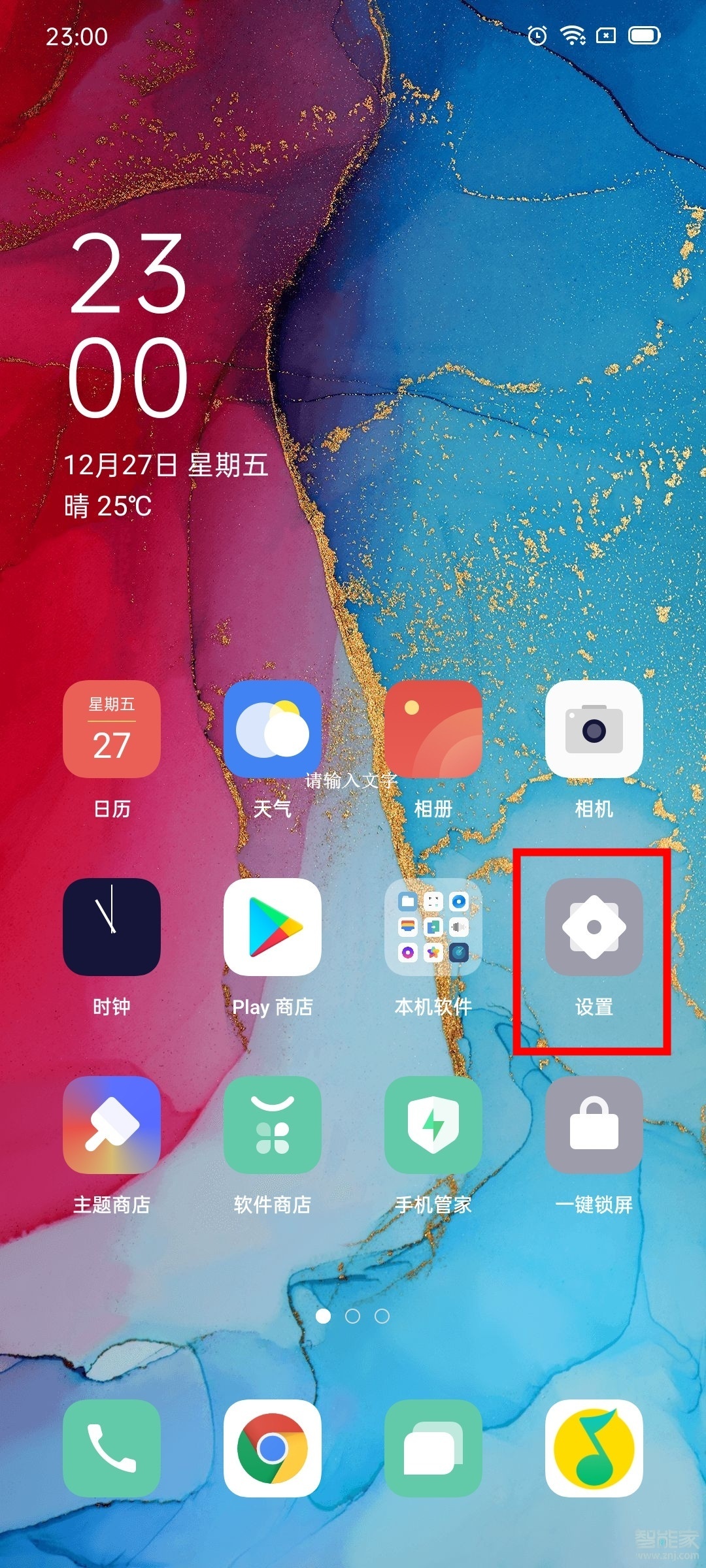
1、点击打开手机桌面上的【设置】。
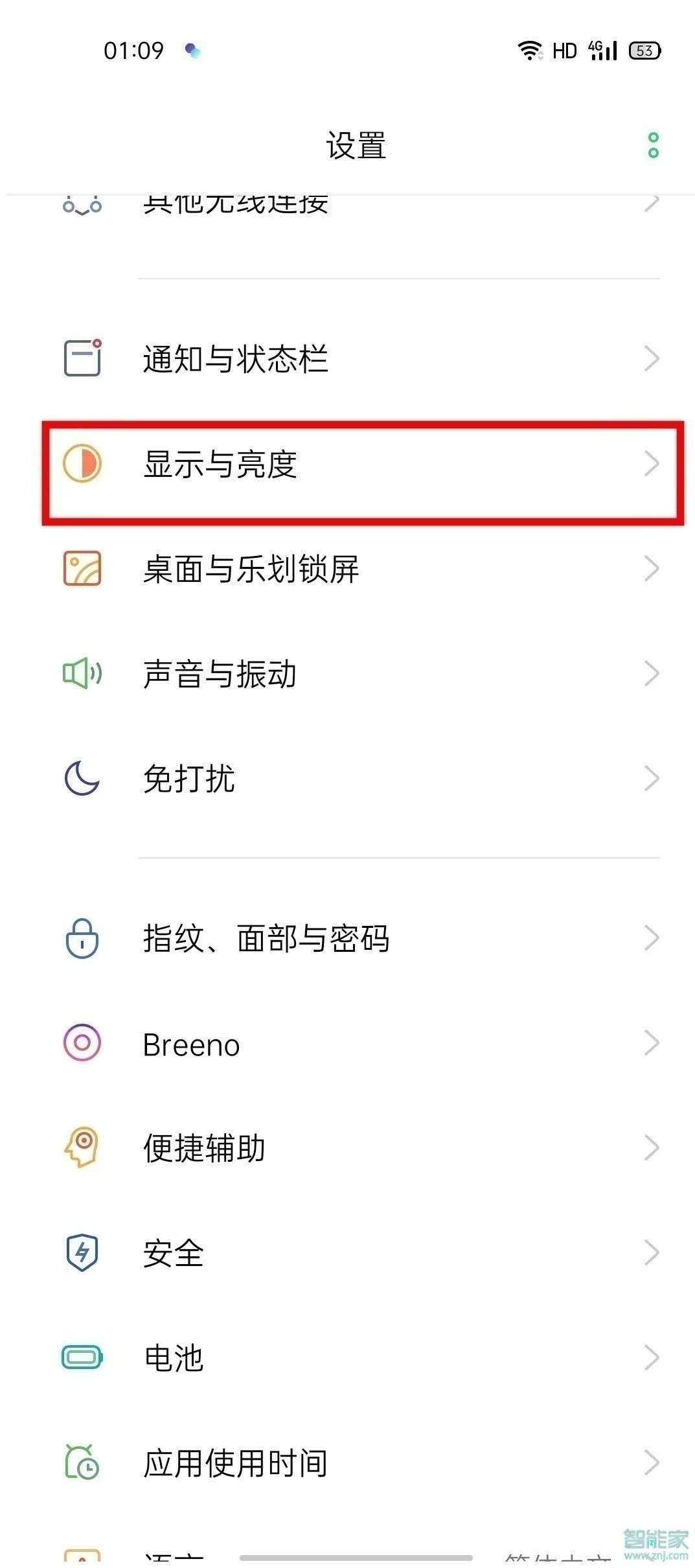
2、点击打开【显示与亮度】。
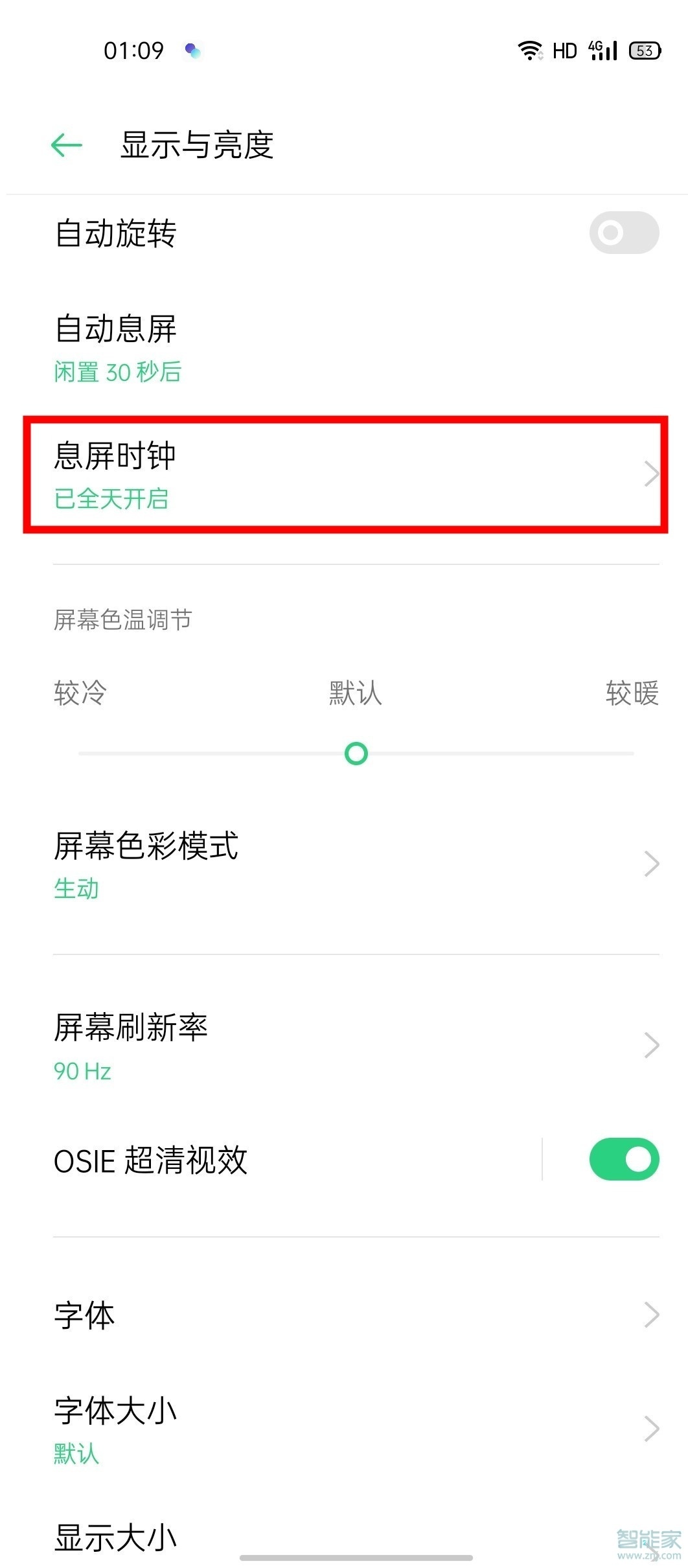
3、点击进入【息屏时钟】。
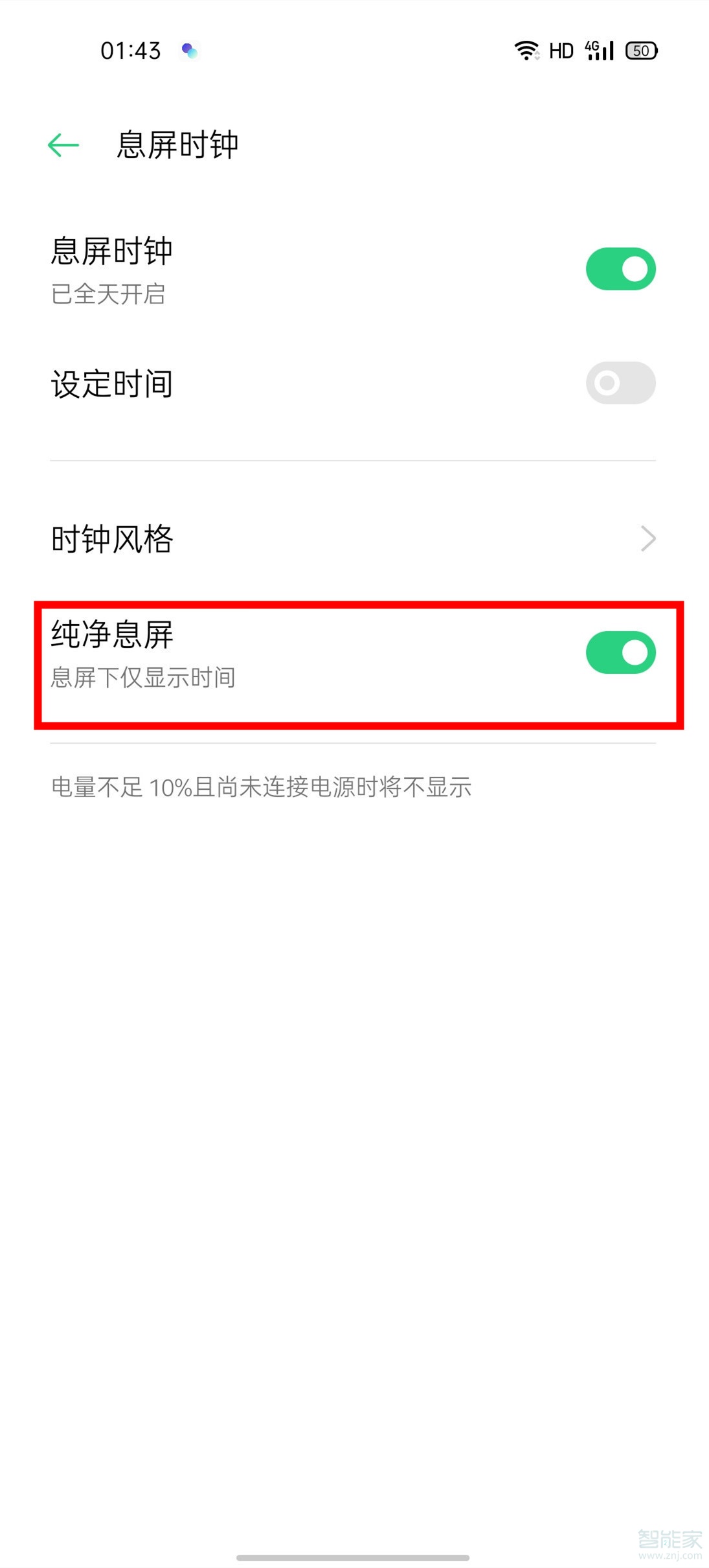
4、将【纯净息屏】右侧的开关打开。
以上就是百科问题网百科问题网小编给大家带来的关于“opporeno3pro怎么设置息屏仅显示时间”的全部内容了,了解更多智能资讯尽在百科问题网百科问题网(m.questions.com.cn)!