
华为mate30pro有一个备忘录速记功能,无需点击备忘录图标,就可以快速记录信息,而且还可以语音速记。下面就教大家华为mate30pro怎么设置备忘录速记。
 华为mate30pro怎么设置备忘录速记
1、点击进入备忘录 > 竖三点 > 设置 > 速记,开启速记开关。
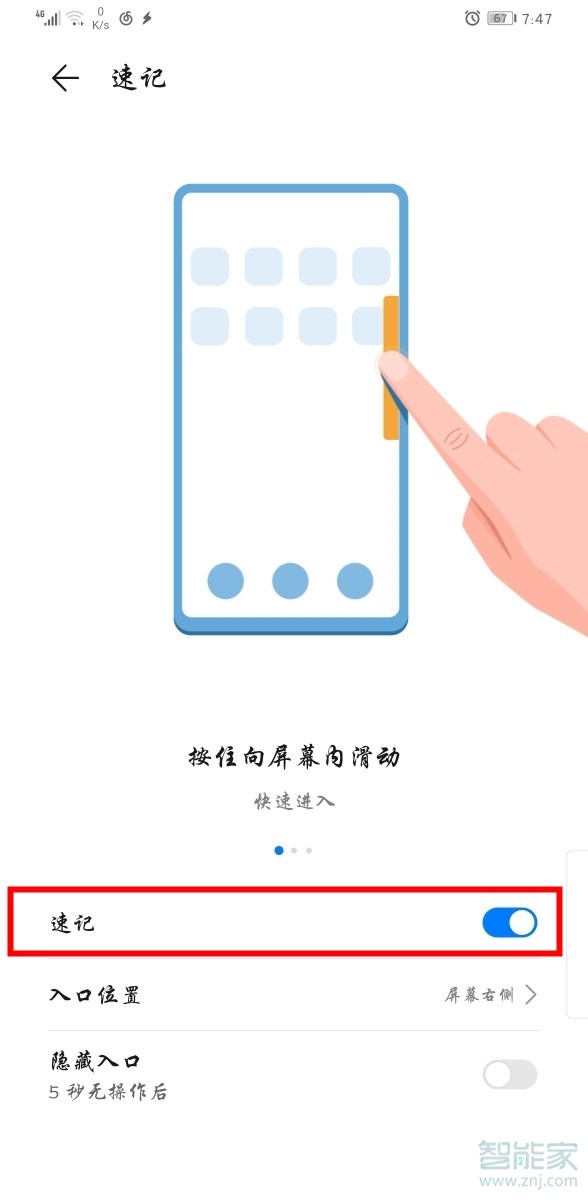
2、设置入口位置为屏幕左侧或屏幕右侧。在屏幕解锁状态下的任意界面,根据设置的速记入口位置,从屏幕边缘向左或向右滑动速记区域,即可打开速记窗口。

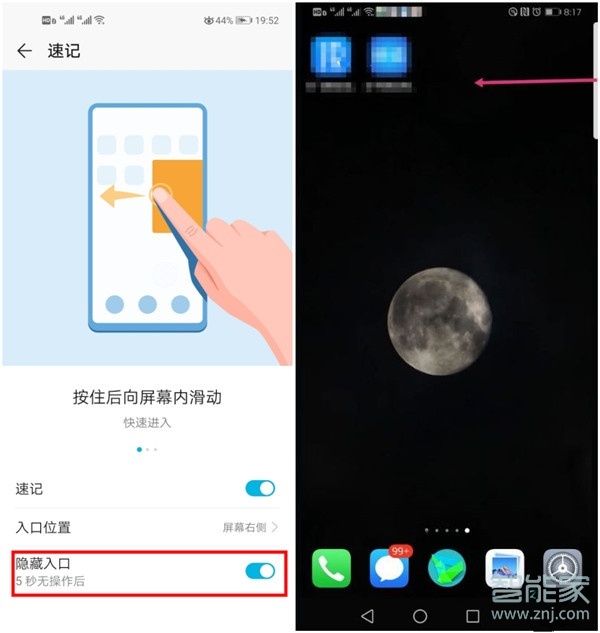
3、当从屏幕上端向内滑动,如果选不对位置。可关闭隐藏入口,看看在那个位置再划。
以上就是百科问题网百科问题网小编给大家带来的“华为mate30pro怎么设置备忘录速记”的全部内容,了解更多智能资讯尽在百科问题网百科问题网!(m.questions.com.cn)